






Transforming Waste Management
Discover the Seamless Driver Experience on your devices - Streamline Routes, Boost Efficiency, and Simplify Tasks!
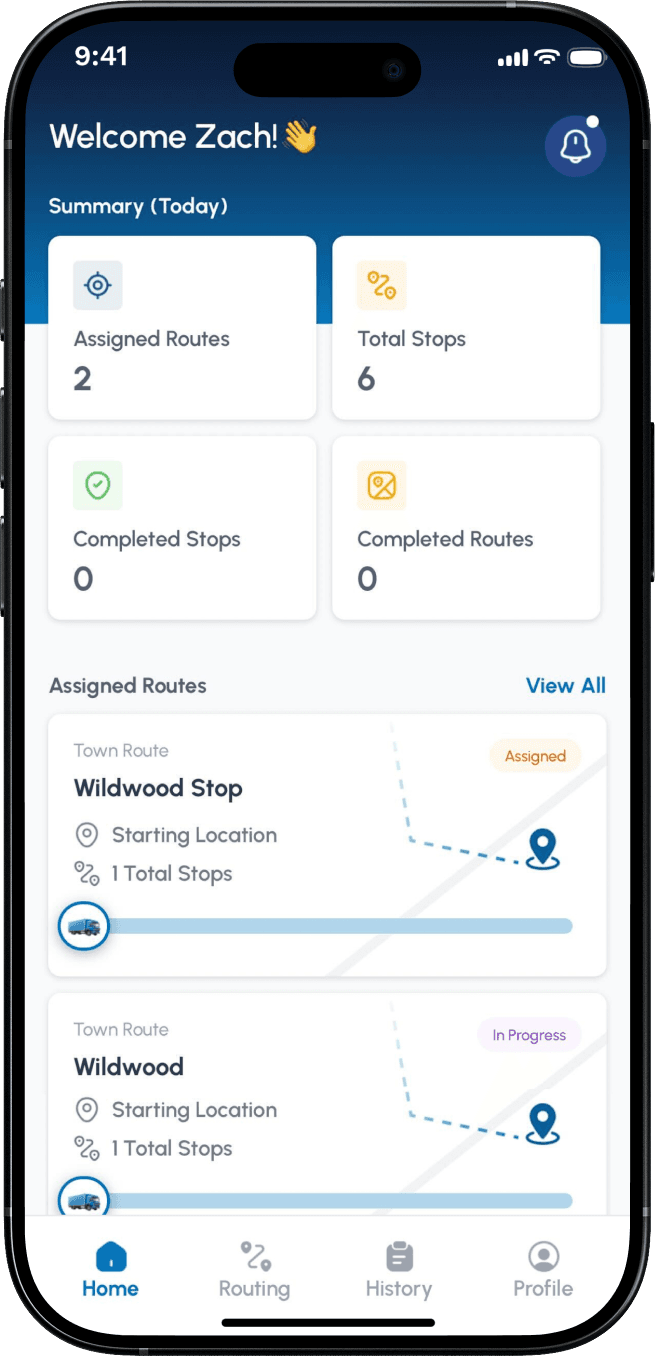
Driver Home Page Overview
The intuitive driver home page on the Shoreline Waste is a happy driver's hub. It lays out their tasks, successes, and steps along with their assigned routes and completed stops below. They can see their assigned routes and select which one to start. Once a route is started, drivers have the ability to pause it at any time if needed.
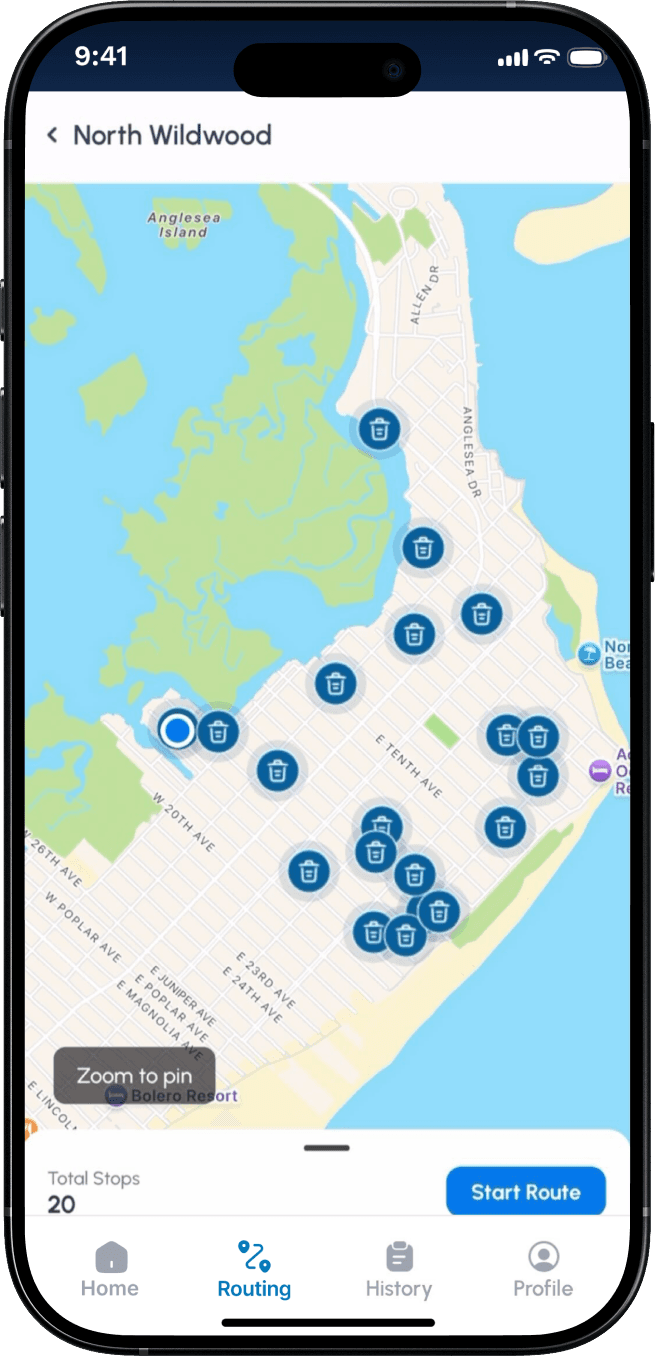
Interactive Map And Navigation Features
Here, drivers can view all of their stops on an interactive map. They can use the "Switch to Google Maps" feature for turn-by-turn navigation to each property, or simply tap directly on any stop for instant access. The app dynamically adjusts based on where the driver starts, so there is no fixed route order. Drivers can also follow the map manually by moving from stop to stop, with their live location updating in real time as they drive.
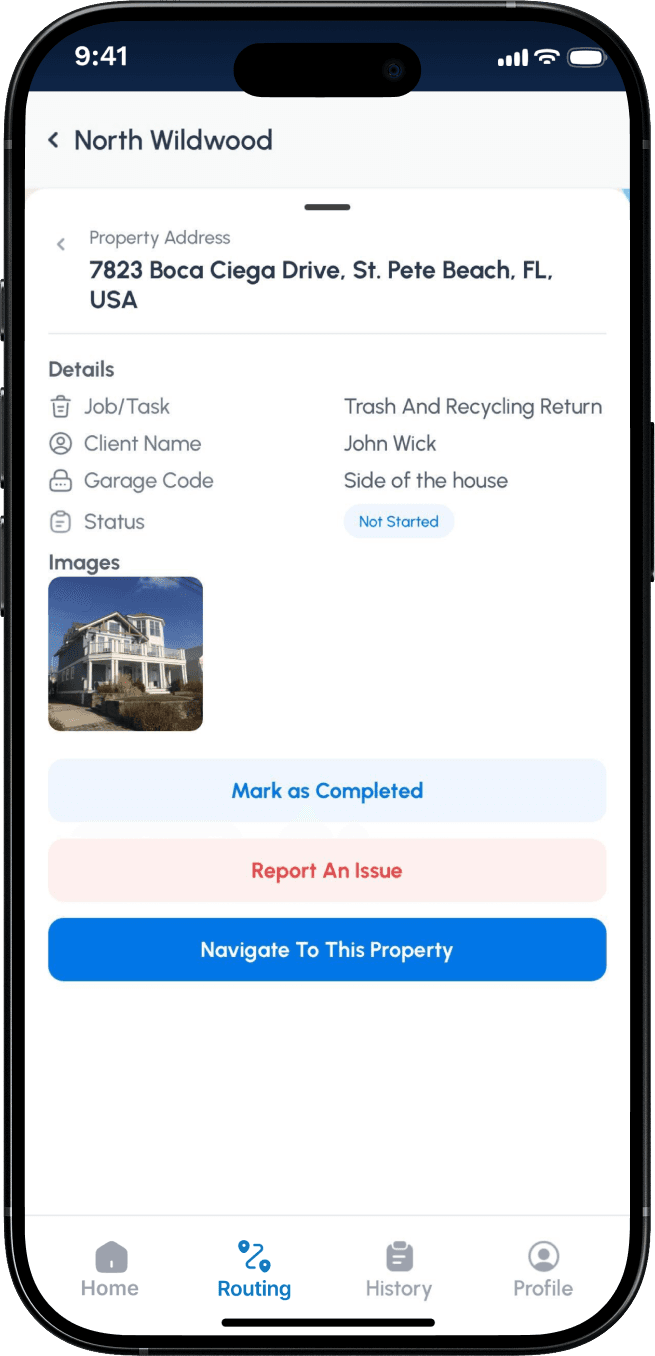
Detailed Stop Information And Task Management
When a driver taps a stop, a detailed view appears with the job type, client name, garage code, and notes on where the cans are located. The acts as clear instructions for each property, neatly fully managed through the admin portal.
Drivers can mark the stop as complete, report an issue, or navigate directly to the property. All actions, images, and records are automatically stored in the admin system.
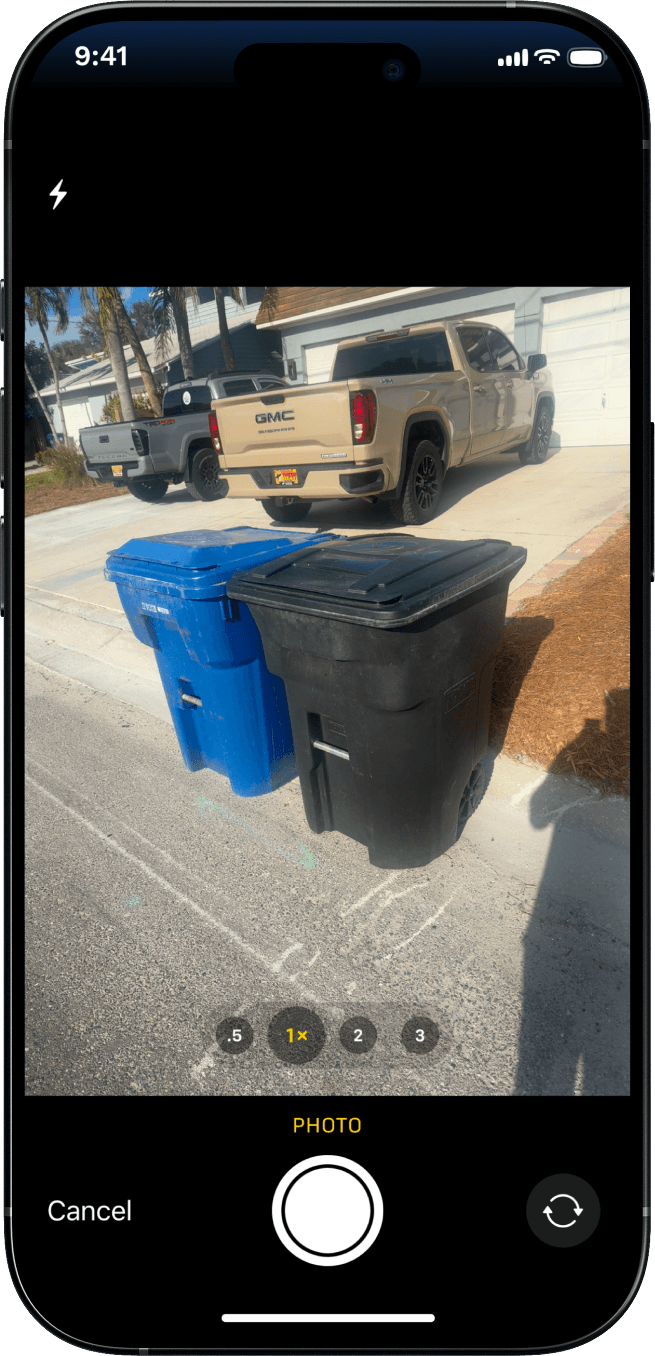
Photo Capture And Issue Reporting
When a driver marks a stop as complete or reports an issue, the camera opens automatically within the app. This allows drivers to capture a photo at each stop, providing proof the job was completed.
For reported issues, drivers can also add a description. All photos, timestamps, and issue reports are stored in your admin portal for review and follow-up. You also have the option to enable or disable this photo requirement at any time.